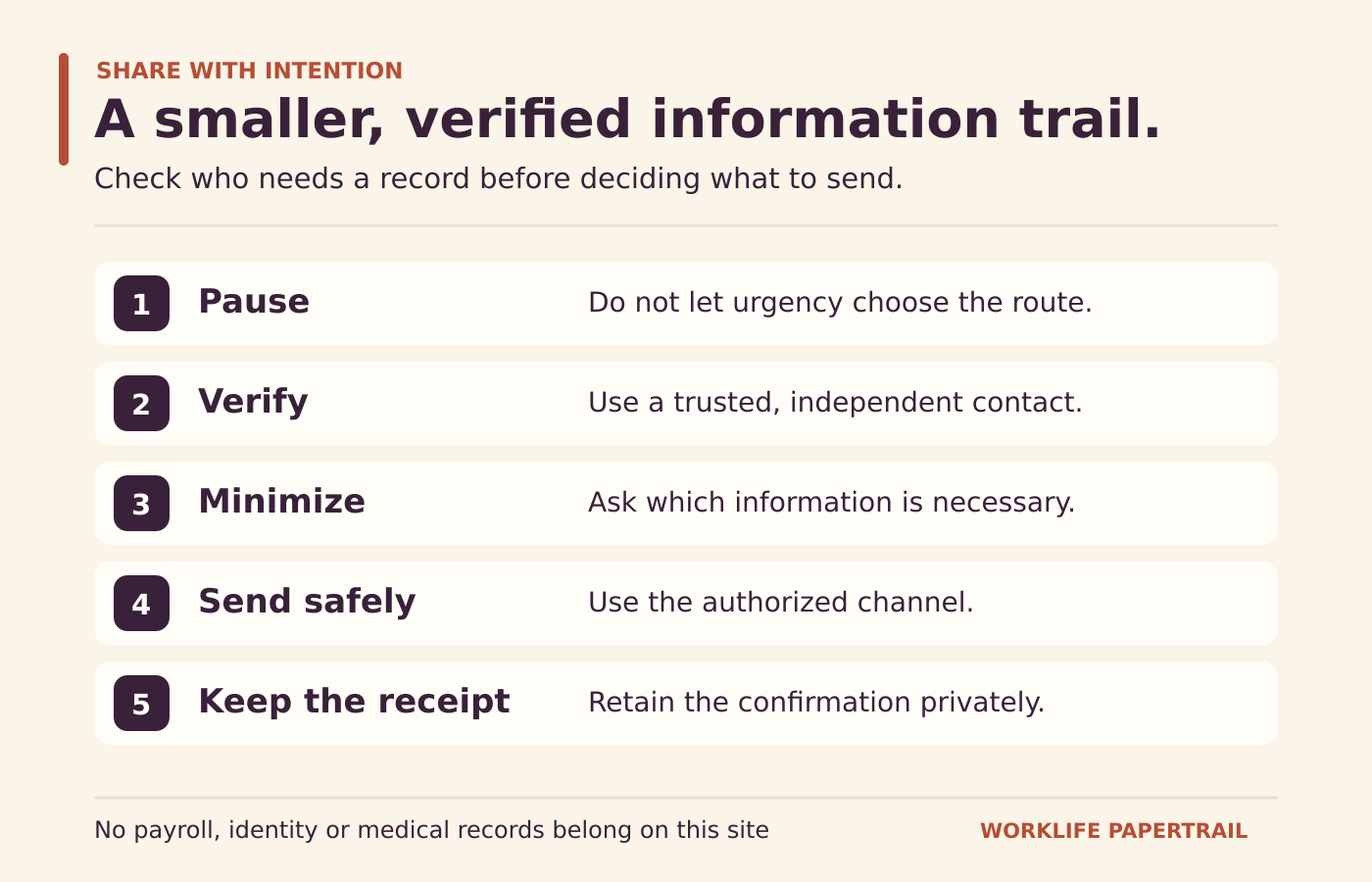
Use a destination check and a minimum-information habit before sharing an employment record or responding to an urgent message.
A familiar company name does not make an unexpected request safe. Payroll and benefit documents can reveal tax identifiers, bank details, compensation, dependents and health information. Before sharing one, verify who needs it, why they need it and which authorized channel should receive it.
Check the destination independently
If a message says your pay will stop unless you upload a document immediately, do not let the urgency decide the route. Use a contact or official address you already trust to verify the request. A reply to the same suspicious message or a call to a number inside it may simply return you to the sender.
The FTC’s personal-information guidance discusses phishing and protecting devices and accounts. Apply that principle to the whole request, not only the visible sender name. A professional logo, plausible signature or accurate workplace detail can still appear in a misleading message.
A fictional request to test
Imagine an email says: “Payroll migration: send your latest pay statement and verification code within one hour.” It uses a familiar service name but arrives unexpectedly. The right first task is to verify the claimed migration and the required process through your employer’s known channel. It is not to gather the requested sensitive material faster.
Do not share a password or one-time authentication code with someone who contacts you. If you have already acted on a suspicious request, promptly use the official service and employer security routes for help. A record-organization article cannot contain an incident or guarantee recovery.
Ask what information is actually needed
A question about a deduction code may need the code and pay period, not an unredacted annual tax form. A question about a plan document may need the plan name and year, not a diagnosis. Start with the narrow description and let the verified resource explain any additional requirement.
When a document is legitimately needed, ask whether a particular page or approved redaction is sufficient. Do not obscure information required by the authorized process or alter a document’s meaning. Keep the original privately, and review the exact copy you are about to share.
Look beyond the visible page
Check file names, additional pages and screenshots for unrelated information. A screenshot can include another open tab, a notification or a private identifier outside the area you intended to show. A forwarded email can carry earlier messages and attachments. Read the full outgoing package before sending.
A safe-looking file name does not remove sensitive contents. A password-protected attachment also does not verify the recipient. Destination, purpose, data minimization and channel choice work together; none replaces the others.
Protect the account that holds the records
The FTC’s two-factor authentication guidance recommends adding an additional authentication factor and avoiding password reuse. Use security options supported by the actual service and employer policy. Do not invent a setting that may not exist in your system, and do not approve an unexpected sign-in prompt simply to make it disappear.
On a shared device, think about downloaded files and saved sessions after the visit. Follow the service’s sign-out instructions and the device’s permitted process. Keeping your own records should not create a new, forgotten copy on a public machine.
Keep the confirmation, not a new exposure
For a legitimate submission, retain a private record of the destination, date and confirmation. Avoid copying sensitive content into a separate general-purpose tracking note when a reference is enough. Worklife Papertrail has no upload field and never needs your actual payroll, identity or medical documents to explain these concepts.